
Bug Finding
Expert testers use AI to crawl your site, finding issues across functional, security, privacy, performance, and more. They review findings and test areas AI might miss.
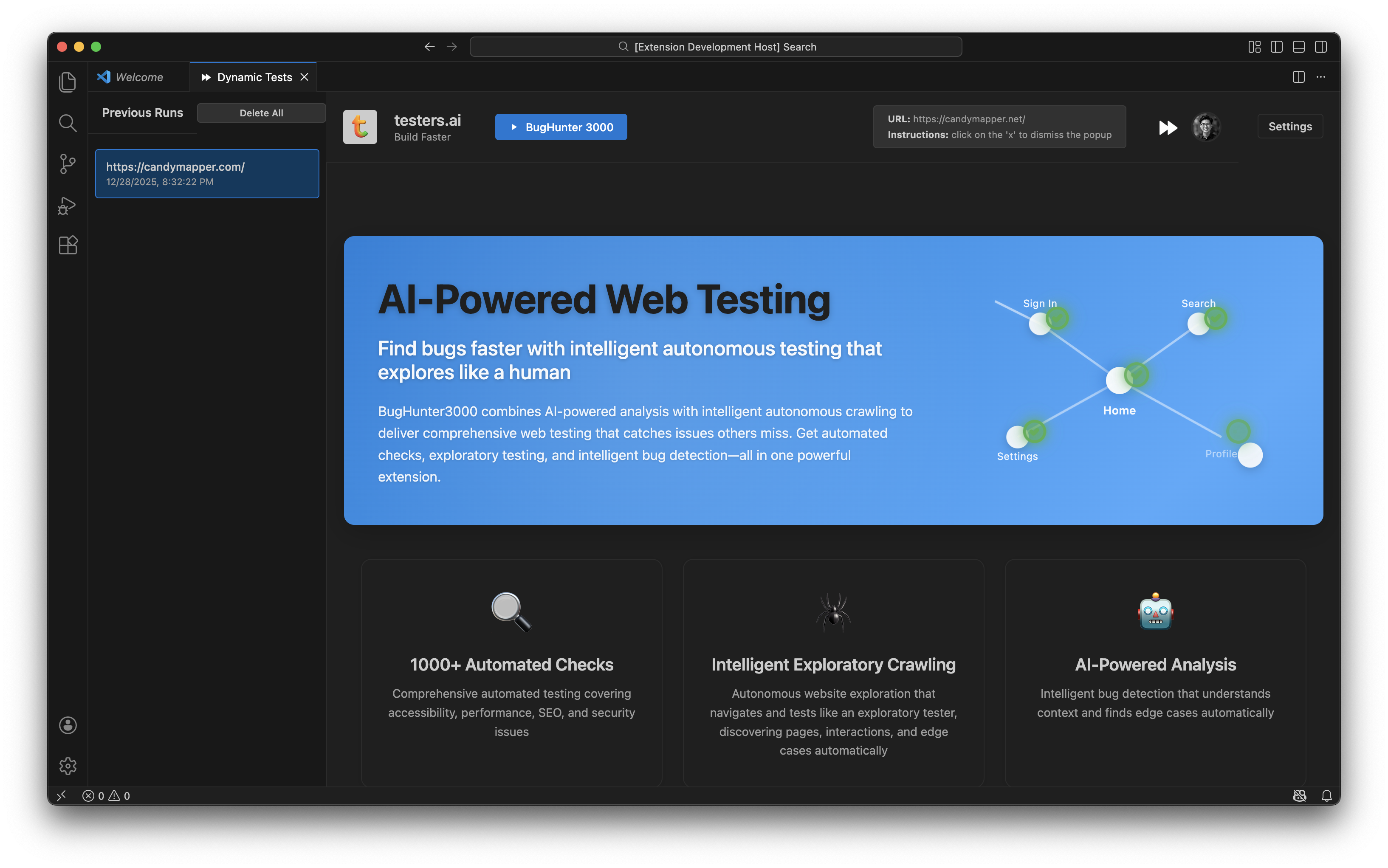
AI Powered Bug Finding
Our approach combines experienced testing experts with the best AI technology to deliver testing that is as efficient, fast, and comprehensive as possible. This powerful combination ensures thorough coverage while keeping pace with modern development cycles.
AI Testing Advantage
Not just simple rules based checks.
Visual Analysis
AI analyzes visual / appearance issues
Alt Tags & Annotations
AI evaluates alt tags and annotations
Layout & Structure
AI analyzes layout and page structure
Every bug comes with ready-to-use AI Fix Prompts for your coding agents. Your development team can quickly implement fixes using AI coding assistants—no manual translation needed.
 Cursor
 Windsurf
 Antigravity
Issue Detection
Expert testers identify bugs with full context
AI Fix Prompts Included
Each finding includes optimized prompts for AI coding agents
Fast Implementation
Your team can fix issues quickly using AI coding assistants
AI acceleration enables our testing experts to deliver faster results, broader coverage, and better pricing than traditional manual testing. The combination of expert judgment and AI automation means you get comprehensive testing at a fraction of the time and cost.
Faster Results
AI accelerates testing workflows, delivering results in hours instead of weeks
Broader Coverage
AI enables comprehensive testing across more pages, scenarios, and areas than manual testing alone
Better Pricing
AI efficiency reduces costs, making expert testing accessible at competitive rates
What Bugs We Find
Expert testers assisted by AI look for and find bugs across 14 comprehensive categories, ensuring thorough coverage of your application's quality, security, accessibility, and user experience.
1. Security
- General security vulnerabilities (CORS, CSP, XSS, CSRF, authentication/authorization)
- OWASP Top 10 (2021) compliance
- Privacy and security combined analysis
- Insecure HTTP requests, missing HTTPS
- Sensitive data exposure
- API security issues
2. Privacy
- Privacy violations (data leakage, tracking, PII exposure)
- GDPR compliance
- Cookie usage and consent mechanisms
- Third-party tracking without consent
- Data retention issues
- Privacy by design and default
3. Accessibility (WCAG)
- WCAG 2.1 Level A, AA, and AAA compliance
- Screen reader compatibility
- Keyboard navigation
- Color contrast
- ARIA semantic markup
- Form accessibility
- Alt text for images
- Heading structure
- Interactive elements accessibility
- Focus indicators
- Mobile accessibility
4. UI/UX
- Layout and spacing issues
- Visual hierarchy problems
- Navigation clarity
- Button placement and visibility
- Form usability
- Content readability
- Responsive design issues
- User flow problems
- Inconsistent design patterns
5. Mobile
- Viewport configuration
- Touch target sizes
- Text readability on mobile
- Horizontal scrolling
- Mobile navigation
- Form usability on mobile
- Image optimization for mobile
- Performance on mobile networks
- Mobile-specific UI patterns
- Responsive breakpoints
6. Content
- Content accuracy
- Typos and grammar
- Content clarity
- Missing content
- Outdated content
- Inconsistent messaging
- Content structure
- Content accessibility
- Content localization issues
- SEO content issues
7. Error Handling
- User-friendly error messages
- Error message clarity
- Error recovery options
- Missing error handling
- Technical errors exposed to users
- Error message placement
- Error message accessibility
8. Console Logs
- JavaScript errors
- Deprecation warnings
- Performance warnings
- API errors
- Network errors
- CORS issues
- CSP violations
- Missing resources
- Invalid code
- Debug statements left in production
9. Network/API
- Failed requests
- Slow responses
- API errors
- CORS errors
- Authentication failures
- Network issues
10. Performance
- Slow loading
- Large resources
- Render blocking
- Performance metrics (First Paint, First Contentful Paint)
- Performance issues from inefficient patterns
11. AI Chatbot
- Chatbot visibility and discoverability
- Chatbot placement
- Chatbot UI/UX
- Response quality indicators
- Loading states
- Error handling in chatbot
- Accessibility of chatbot
- Mobile chatbot experience
- Chatbot performance
- Integration issues
12. GenAI Code
- Repetitive or redundant code patterns
- Inconsistent styling or formatting
- Missing error handling
- Hardcoded values that should be configurable
- Incomplete implementations
- Overly complex solutions
- Missing accessibility attributes
- Security vulnerabilities common in AI-generated code
- Performance issues from inefficient patterns
- Prompt injection vulnerabilities
- LLM output validation
- Code quality and best practices
- API integration issues
- Code maintainability
- AI model-specific issues
13. Dynamic Functionality
- User interactions
- Form submissions
- Navigation
- Real-time updates
- Dynamic behavior testing
14. General Bugs
- Combined analysis covering multiple areas above
- Usability problems
- Broken functionality
- Visual bugs
About IcebergQA
XBOSOFT and testers.ai have combined to bring together the most experienced testing experts with the latest and most powerful AI to deliver the fastest, most efficient bug finding—keeping up with modern development requirements and increasingly fast release cycles.
IcebergQA specializes in bug finding, combining expert human judgment with AI acceleration to deliver comprehensive reports that organizations can trust.